
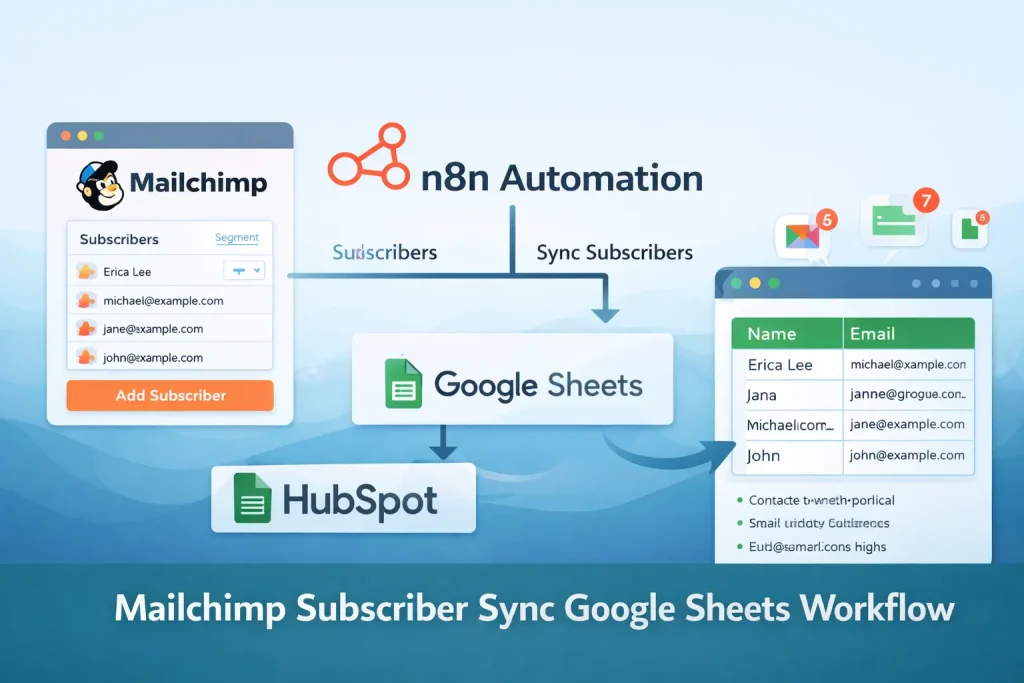
Mailchimp Subscriber Sync Google Sheets Workflow Template
Read lead rows from Google Sheets and add them to a Mailchimp audience on a recurring schedule.
This is a simple list-building workflow for teams that collect leads in a spreadsheet before pushing them into Mailchimp. Instead of exporting CSV files by hand, the workflow reads rows from Google Sheets and subscribes each email address to a Mailchimp list.
It is best used when Google Sheets is your temporary lead collection layer and Mailchimp is the destination for newsletters or onboarding campaigns.
Tools Used


What This Workflow Does
This n8n workflow moves subscriber data from a spreadsheet into Mailchimp.
- Reads lead rows from a Google Sheet range
- Runs on an interval instead of manual CSV export
- Pulls the email value from each row
- Adds the contact to a Mailchimp audience as subscribed
- Provides a simple starting point for spreadsheet-based email list sync
How It Works
- An interval trigger runs the workflow on a recurring schedule.
- Google Sheets reads the configured range from the selected spreadsheet.
- Each row is passed through as a lead record.
- The Mailchimp node takes the email column from the sheet output.
- Mailchimp creates or subscribes the contact in the target audience.
- The workflow repeats on the next interval to process new rows.
Use Cases
- Newsletter list building from spreadsheets
- Manual lead sheet to Mailchimp sync
- Simple email marketing intake automation
- Event signup import from Google Sheets
- Pre-CRM marketing list management
Benefits
- Removes repeated CSV export and import work
- Keeps spreadsheet-based lead collection usable for small teams
- Creates a clean first step before a larger email automation stack
- Easy to understand and modify
- Works well for low-volume audience building
Customization Ideas
- Mark processed rows in Google Sheets after successful sync
- Map first name and other merge fields into Mailchimp
- Skip blank or duplicate emails before subscription
- Add a webhook or form trigger for real-time intake
- Send sync errors to Slack or email
Details
This workflow reads lead rows from Google Sheets and adds them to a Mailchimp audience. It is a short, spreadsheet-to-email-list automation for teams that still collect or review leads in a sheet before those contacts enter an email marketing system.
How the flow works in practice
The export includes an interval trigger, a Google Sheets read step, and a Mailchimp subscribe step. That means the workflow runs on a timer rather than waiting for a real-time form event. On each run, it opens the configured sheet range, reads the available rows, and passes the email value from each row into Mailchimp with a subscribed status.
Input and output
The input is a spreadsheet range. In the uploaded JSON, the Google Sheets node reads columns A through C from a named sheet. The output is a Mailchimp audience member record. If you already keep names or campaign metadata in adjacent columns, those can be mapped into Mailchimp merge fields later.
Where this template is useful
This workflow is a good fit for simple marketing operations. Examples include event registration lists maintained in a sheet, manually reviewed lead lists, or small internal processes where Google Sheets is the easiest place to collect emails before a campaign starts. It is less useful for high-volume real-time capture, where a form trigger or webhook would be a better starting point.
Required setup
You need Google Sheets credentials, a sheet with a stable column structure, and a Mailchimp audience ID. The main configuration work is confirming the sheet range and matching the correct email column to the Mailchimp node. If your sheet contains headers, blanks, or mixed data, add filtering or cleanup before subscribing contacts.
What usually needs customization
Most teams will want at least three additions: deduplication, processed-row tracking, and merge field mapping. A common extension is to write a synced status back into the sheet so the same row is not retried every time the interval runs. Another common improvement is adding first name, signup source, or tag fields so Mailchimp can support segmentation and personalized emails later.
Limitations
The default export is intentionally minimal. It does not mark rows as complete, does not branch on errors, and does not validate emails before subscription. If your spreadsheet is edited by multiple people, you should also think about row consistency and whether headers or sample rows can accidentally be pushed into Mailchimp.
When to use a template versus rebuild
If your need is simply “take emails from Google Sheets and put them into Mailchimp,” this template is enough. If you need double opt-in logic, CRM sync, complex audience segmentation, or campaign attribution, keep this as the sync core and add those layers around it.
FAQ
What does this workflow automate?
It reads lead rows from Google Sheets and subscribes the email addresses to a Mailchimp audience on a schedule.
Is this workflow good for beginners?
Yes. The exported flow is short and easy to adapt, which makes it a good starter template for spreadsheet-based list sync.
Does it prevent duplicates?
The default version is simple and does not include a separate deduplication step. Mailchimp handling depends on your audience rules and node settings.
Can I sync more than email?
Yes. You can extend the Mailchimp node to map first name, tags, or other merge fields from additional spreadsheet columns.
Summary
Platform: n8n
Use Case: Marketing automation
Tools: Google Sheets, Mailchimp
Output: Sheet contacts added to a Mailchimp audience
Related Guides
How to Build an n8n Mailchimp Subscriber Sync from Google Sheets
This guide shows how to build a lightweight n8n workflow that reads lead data from Google Sheets and adds subscribers to Mailchimp. It is a practical setup for...
Read GuideRelated Templates
Instagram Content Publishing Google Sheets Gemini Workflow Template
Turn content ideas stored in Google Sheets into AI-generated Instagram posts with captions, images, and status updates.
View Template
Multi-Platform Social Publishing OpenAI Workflow Template
Generate social posts for multiple networks, route them through approval, and publish the approved content from one n8n workflow.
View Template
Subscriber Welcome Email Mailchimp Gmail Workflow Template
Add new signups to Mailchimp and send a branded welcome email with a discount code as soon as the form is submitted.
View Template