
LinkedIn Lead Generation & Enrichment n8n Workflow Template
Collect LinkedIn prospects, enrich their contact and profile data, and organize the final output in Google Sheets with a multi-step n8n workflow.
This n8n workflow template helps automate LinkedIn lead generation and enrichment by connecting prospect collection, data enhancement, and structured output in one flow. It is a practical fit for teams that want to turn raw LinkedIn data into cleaner, more usable lead records without building the workflow from scratch.

Tools Used




What This Workflow Does
This n8n workflow automates a full prospecting and enrichment pipeline for LinkedIn-based lead generation.
- Captures lead criteria such as role, location, and lead volume from a form
- Pulls matching prospect data from Apollo
- Saves raw leads into Google Sheets for staged processing
- Extracts usable LinkedIn usernames from profile URLs
- Attempts to reveal and validate work email addresses
- Collects profile details and recent LinkedIn activity through external services
- Uses OpenAI to turn raw profile and post data into short usable summaries
- Writes completed records into an enriched leads sheet
- Retries failed records through scheduled recovery steps
How It Works
- A form collects the target job title, location, and number of leads to generate.
- Apollo returns matching prospect data, including names, roles, and LinkedIn profile links.
- The workflow stores incoming records in Google Sheets so each row can move through later enrichment stages.
- Pending rows trigger a cleanup process that extracts a cleaner LinkedIn identifier from the stored profile URL.
- Another branch requests email data and checks whether the address is valid before updating the row.
- Separate enrichment paths gather profile information and recent LinkedIn posts using connected scraping services.
- OpenAI converts raw text from profiles and posts into concise summaries that are easier to use in outreach.
- Status fields in the sheet track which enrichment steps are complete and which still need attention.
- Once all required fields are ready, the workflow appends the finished record to a dedicated enriched leads database.
- Scheduled retry logic resets failed records so they can be processed again without manual cleanup.
Use Cases
- B2B prospecting
- LinkedIn lead collection
- Lead enrichment workflows
- Outbound sales preparation
- Recruiter sourcing automation
- Sales research pipelines
- CRM-ready lead building
- Prospect database automation
Benefits
- Reduce manual prospect research
- Keep lead generation and enrichment in one workflow
- Validate contact data before outreach
- Create cleaner prospect records for sales teams
- Add profile context for personalized messaging
- Track each lead through clear processing stages
- Recover failed records with retry logic
- Build a repeatable outbound process
Customization Ideas
- Send completed leads into HubSpot or Salesforce
- Replace Google Sheets with Airtable or Notion
- Trigger cold email sequences after enrichment
- Add Slack alerts when enriched leads are ready
- Score leads by role, location, or profile quality
- Swap scraping providers based on cost or reliability
- Store final records in a database instead of a spreadsheet
- Add campaign labels for downstream reporting
Details
This workflow is built for teams that want more than a simple lead export. Instead of stopping at names, job titles, and profile links, it turns LinkedIn prospecting into a staged automation process that collects, enriches, validates, and organizes lead data in one place. The workflow starts with a form-based input step, where the user defines the role, location, and number of leads to pull. From there, Apollo is used to fetch the initial set of prospects, which are then written into Google Sheets as the central working dataset.
Using Google Sheets as the processing layer gives the workflow a clear operational structure. Each lead record can move through separate enrichment stages while keeping status values visible and easy to audit. One branch focuses on extracting a cleaner LinkedIn identifier from the stored profile URL. Another branch attempts to retrieve and validate email data so that poor contact information does not move downstream unchecked. Additional paths pull in profile-level context and recent LinkedIn activity through connected scraping services. This makes the workflow useful for teams that want a richer view of each lead before outreach begins.
OpenAI is used to convert raw scraped information into summaries that are easier to use in sales or recruiting workflows. Instead of forcing a user to read through fragmented profile data and recent posts, the workflow turns those inputs into shorter descriptions that can support prospect qualification, personalization, and internal review. That makes the final output more actionable than a standard scraped dataset.
As an n8n workflow for LinkedIn lead generation and enrichment, this template fits outbound teams that need a repeatable process with visible checkpoints. It is especially useful when prospect data needs to be reviewed, retried, and improved over time instead of handled in a one-time batch. The retry paths are an important part of the design because they allow incomplete or failed rows to re-enter the process without rebuilding the entire workflow manually.
This template also works as a foundation rather than a fixed end state. It can be extended into CRM syncs, outbound sequencing, lead scoring, or reporting workflows. Teams that already use Google Sheets as an operational hub will find the current structure easy to understand, while more advanced users can adapt it to databases, sales systems, or internal dashboards. For anyone building a more reliable prospecting system in n8n, this workflow provides a strong starting point with both lead collection and enrichment covered.
FAQ
What does this workflow automate?
It automates the process of generating leads, enriching their contact and profile data, validating email addresses, summarizing prospect information, and storing completed records in Google Sheets.
Who is this workflow designed for?
It is best suited for sales teams, outbound operators, recruiters, and anyone building a structured LinkedIn prospecting pipeline.
Why is this workflow marked as Advanced?
The workflow uses multiple triggers, several external services, staged sheet-based processing, retry handling, and parallel enrichment branches. It needs more setup and maintenance than a simple one-path automation.
What tools are required to run it?
You need n8n plus configured access to Apollo, Google Sheets, OpenAI, and at least one profile scraping provider such as RapidAPI or Apify.
Can this workflow be adapted for CRM use?
Yes. The final output can be sent to a CRM, database, or another downstream system once the enrichment steps are complete.
Summary
Platform: n8n
Use Case: Lead generation
Tools: Apollo, Google Sheets, OpenAI, RapidAPI, Apify
Output: Enriched LinkedIn prospect data stored in a structured sheet
Related Guides

How to Automate LinkedIn Lead Generation with n8n
Learn how to automate LinkedIn lead generation with n8n using Apollo, Google Sheets, and enrichment steps for cleaner prospect data.
Read GuideRelated Templates
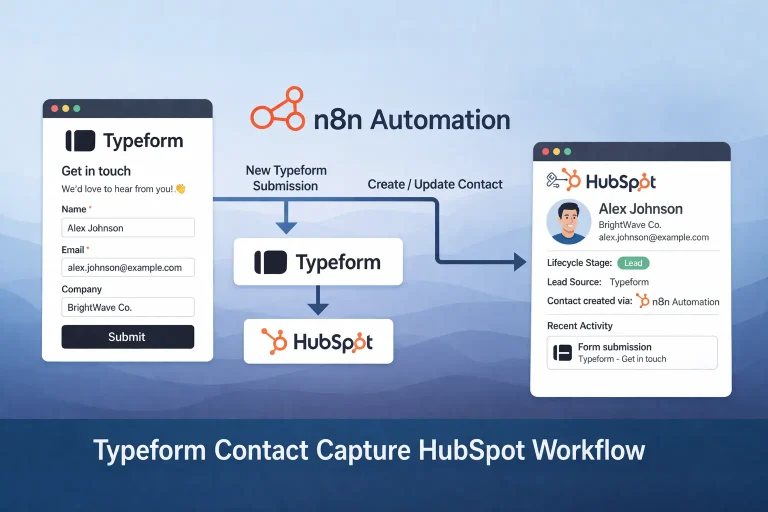
Typeform Contact Capture HubSpot Workflow Template
Capture Typeform submissions in HubSpot, mark interested leads as opportunities, and send a follow-up email from one n8n workflow.
View Template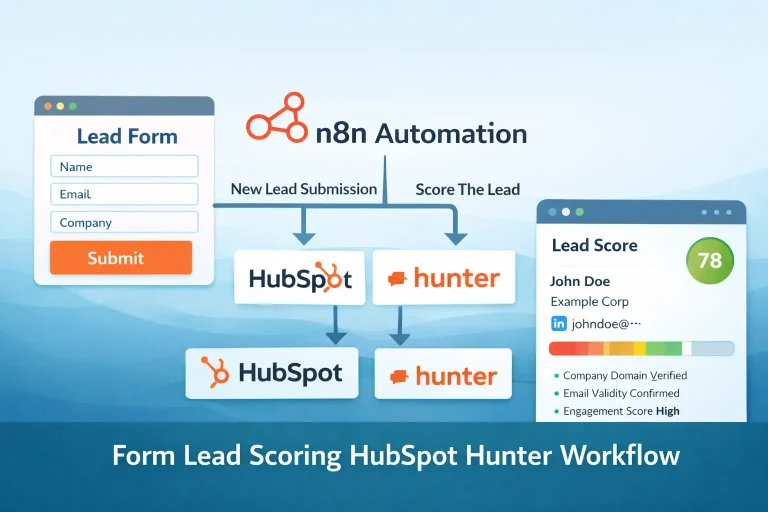
Form Lead Scoring HubSpot Hunter Workflow Template
Validate a form submission, score the lead, send outreach to qualified contacts, and log the engagement in HubSpot.
View Template
Lead Qualification Slack Workflow Template
This workflow automates lead qualification and keeps the output in sync across the tools used in the process.
View Template