
Form Lead Scoring HubSpot Hunter Workflow Template
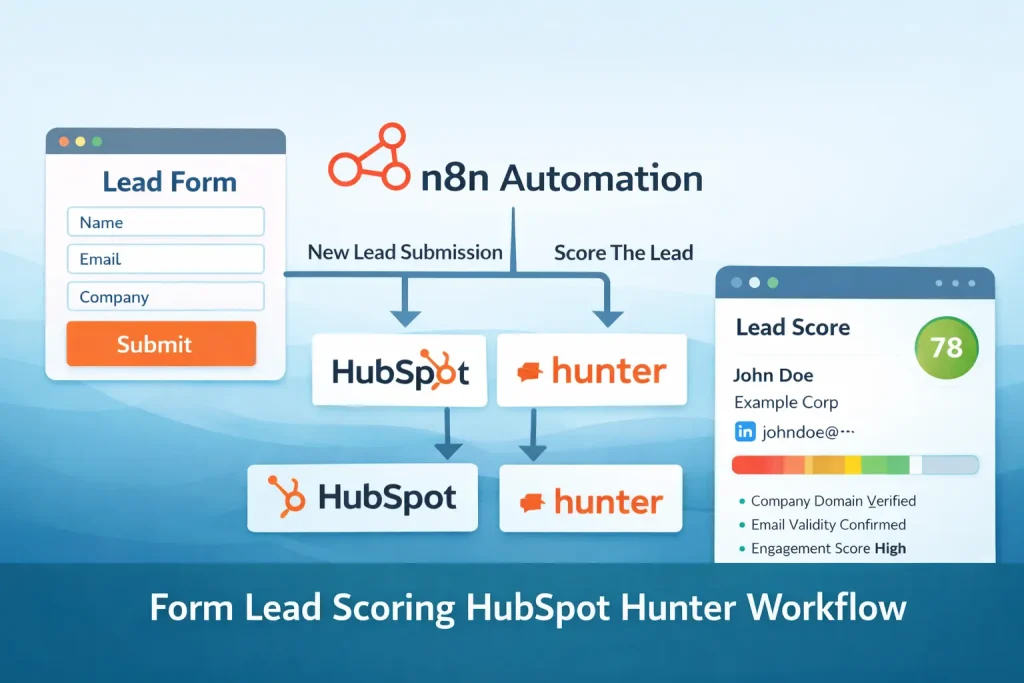
Validate a form submission, score the lead, send outreach to qualified contacts, and log the engagement in HubSpot.
This template is built for inbound lead qualification, not just form capture. It verifies the submitted email, checks a fit score through MadKudu, and only sends outreach when the lead passes the threshold.
Because the workflow also writes the contact and engagement into HubSpot, it works as a front-end qualification layer for teams that want cleaner follow-up from their contact forms.
Tools Used



What This Workflow Does
This n8n workflow qualifies inbound form leads before outreach is sent.
- Collects a business email from an n8n form
- Verifies the email with Hunter before continuing
- Scores the lead with MadKudu
- Filters out leads below the fit threshold
- Sends outreach from Gmail to qualified contacts
- Creates or updates activity records inside HubSpot
How It Works
- An n8n form trigger receives a submitted business email.
- Hunter checks whether the submitted email is valid.
- If the email is invalid, the workflow stops.
- MadKudu returns a fit score for the lead.
- An If node compares that score against the configured threshold.
- Qualified leads receive an outreach email from Gmail.
- HubSpot records the engagement so the outreach is visible in the CRM.
- Lower-scoring leads are skipped without sending sales email.
Use Cases
- Inbound lead qualification
- Contact form triage
- Business email validation before outreach
- HubSpot outreach logging
- Sales-assisted lead filtering
Benefits
- Prevents sales email from being sent to weak or invalid leads
- Adds a scoring layer before SDR follow-up
- Keeps engagement history inside HubSpot
- Reduces manual review of contact form submissions
- Creates a better handoff between marketing and sales
Customization Ideas
- Adjust the MadKudu score threshold by segment
- Add Slack notifications for high-fit leads
- Create different Gmail templates for different score bands
- Store rejected leads in a nurture list instead of dropping them
- Replace the n8n form with Typeform, Webflow, or another form source
Details
This workflow receives a lead from a form, validates the submitted email, checks the lead against a scoring service, and only sends outreach when the record meets the chosen qualification threshold. It also records the outbound activity in HubSpot so sales can see what happened without checking n8n directly.
Input and output
The input is a single form field for business email in the default export, but the structure can easily be expanded with company, job title, source, or campaign fields. The output is either a stopped record for invalid or weak leads, or a sent outreach email with a related HubSpot engagement for qualified leads.
Where the workflow creates value
The main value comes from the two decision points. First, Hunter filters out bad email addresses. Second, MadKudu adds a fit score so you can keep the sales team focused on better prospects. Without those checks, a normal form automation would push every submission toward manual review or immediate outreach.
Required services
You need four working integrations: the n8n form trigger, Hunter for email verification, MadKudu for scoring, Gmail for sending outreach, and HubSpot for CRM activity logging. The exported workflow also includes notes that point to HubSpot OAuth setup. Before going live, review the Gmail copy, the subject line, and the fit-score threshold.
Who should use this template
This workflow is best for teams running inbound forms where lead quality varies a lot. If your contact form receives students, competitors, free email addresses, or other low-fit submissions, this template gives you a practical gate before SDR time is spent. It also suits marketing teams that want an automated path from form fill to CRM engagement logging.
What to customize first
The score threshold is the first setting to revisit. A threshold that works for one company may be too strict or too loose for another. You should also edit the Gmail node, define whether HubSpot should create a new contact or only record activity against an existing one, and consider adding duplicate handling before logging the engagement.
Common caveats
Because this flow depends on external scoring and validation services, failures can come from API limits, credential issues, or unexpected response formats. It also uses a simple threshold model rather than full lead routing. If you need owner assignment, account matching, lifecycle stage changes, or multi-touch sequences, add those after the qualification branch rather than forcing them into the initial version.
When a template is enough
If your goal is “validate, score, and email only the good leads,” this template is already close to the real operating model. If your process involves territory routing, enrichment, or downstream sequence tools, keep this as the intake layer and extend it from there.
FAQ
What makes this different from a basic form-to-CRM workflow?
This version adds validation and scoring before outreach, so the workflow can decide which leads should receive immediate follow-up.
What services are required?
You need working credentials for HubSpot, Hunter, MadKudu, and Gmail, plus the n8n form endpoint or a replacement trigger.
Can I change the score threshold?
Yes. The qualification threshold is controlled in the If logic and can be raised or lowered based on your sales process.
Does this workflow support other form tools?
Yes. The current trigger is an n8n form, but the same validation and scoring flow can be fed by Typeform, Google Forms, or a custom webhook.
Summary
Platform: n8n
Use Case: Lead generation
Tools: HubSpot, Hunter, MadKudu, Gmail
Output: Qualified leads emailed and logged in HubSpot
Related Guides
How to Set Up an n8n Lead Qualification Workflow with HubSpot and Hunter
This guide explains how to set up an n8n workflow that takes a form submission, validates the email, scores the lead, and sends outreach only when the lead...
Read GuideRelated Templates
Typeform Contact Capture HubSpot Workflow Template
Capture Typeform submissions in HubSpot, mark interested leads as opportunities, and send a follow-up email from one n8n workflow.
View Template
Lead Qualification Slack Workflow Template
This workflow automates lead qualification and keeps the output in sync across the tools used in the process.
View Template
LinkedIn Profile Collection Google Sheets Workflow Template
This workflow automates linkedin profile collection and keeps the output in sync across the tools used in the process.
View Template