
What Is MCP for Workflow Automation
A practical explanation of how Model Context Protocol turns AI tools into callable workflow components.
This guide explains what MCP means in workflow automation, how it works, and when it is worth using instead of one-off tool integrations. It is written for teams evaluating AI-driven workflows, not just experimenting with chat tools.

Related Tools



Details
MCP for workflow automation means using the Model Context Protocol as a standard layer between an AI client and the systems a workflow needs to read from or act on. In practical terms, MCP lets an assistant or agent discover tools, read structured context, and trigger actions through one protocol instead of a separate custom connector for every app.
That matters because workflow automation breaks down when each new system needs its own bespoke integration logic. A team might connect an AI assistant to a CRM, ticketing system, SQL database, internal docs, and approval process, but every one of those links creates new authentication, schema, maintenance, and observability work. MCP does not remove that work entirely, but it gives teams a common contract for exposing the useful parts of each system to an AI-driven workflow.
What MCP does in a workflow stack
In a normal automation stack, triggers, actions, field mapping, and branching rules sit inside tools such as n8n, Make, or custom backend code. MCP adds a standard interface on top of those systems so an AI client can discover what is available and use it in a structured way. Instead of hard-coding a different tool schema for every destination, the client talks to MCP servers that describe their tools, resources, and prompts in a consistent format.
- Tools let the model take actions, such as creating a CRM record, updating a spreadsheet row, or running a query.
- Resources expose contextual data, such as product docs, account records, schema details, or files.
- Prompts provide reusable templates or guided workflows that the user can invoke intentionally.
For workflow builders, that means one assistant can connect to many systems without every connection being invented from scratch.
How MCP works in practice
MCP uses a host-client-server architecture. The host is the AI application the user interacts with. That host spins up or connects through an MCP client, and the client maintains a session with a specific MCP server. The server exposes capabilities, and the client learns what is available during initialization.
A simple business example looks like this:
- A user asks an AI assistant to qualify a new inbound lead.
- The assistant discovers available tools from a lead-enrichment server and a CRM server.
- It reads the relevant context, such as company data or existing records.
- It calls a tool to create or update the CRM entry.
- If the workflow requires approval, the host can ask the user to confirm before the action is executed.
The key point is that the AI application does not need a one-off integration design for each step. It uses the MCP contract to discover and call what is already exposed.
Who should care about MCP
MCP is most useful for teams building AI-assisted workflows that touch multiple systems or need to work across more than one client. Product teams, operations teams, internal tooling teams, and developers building agent workflows are the main audience.
You should care about MCP if your workflow needs any of the following:
- shared tool access across multiple AI clients
- structured discovery of available actions and resources
- more consistent governance around what an agent can do
- a reusable integration layer instead of repeating custom function definitions
- support for richer agent workflows that mix tool calls, context retrieval, and user approval
You may not need MCP if you only have one narrow workflow, one application, and a fixed API call path that will not be reused elsewhere.
Common MCP workflow use cases
| Use case | What MCP adds |
|---|---|
| CRM updates | Exposes customer lookup and record-write tools in a consistent interface |
| Knowledge search | Makes documents, records, or indexed content available as structured resources |
| Approval flows | Lets the host keep a human in the loop before sensitive tool calls |
| Internal operations | Connects AI to tickets, spreadsheets, databases, and messaging systems through one model-friendly layer |
| Developer workflows | Exposes repos, issues, terminals, and docs to coding assistants through standard primitives |
How MCP differs from ordinary automation integrations
Traditional workflow automation usually starts with an app-specific connector. That model works well for deterministic flows such as “when form submitted, add row, then send email.” MCP is different because it is designed for AI systems that need to inspect available capabilities at runtime and decide what to use.
That does not make MCP universally better. A static workflow in Make or Zapier may still be easier when the logic is fixed and the AI only performs one narrow task. MCP becomes more valuable when the agent must reason over multiple tools, retrieve context dynamically, or work across different clients without redefining the integration every time.
Limitations and tradeoffs
MCP is not a shortcut around integration design. Someone still has to decide which tools to expose, how authentication works, which outputs are safe, and what actions require approval. It is also not the same thing as a complete automation platform. MCP standardizes the interface layer, but you still need the underlying business logic, data quality, and operational guardrails.
Another tradeoff is that a generic MCP server may get you to a working demo quickly, but production workflows often need stricter access control, auditability, idempotency, and well-scoped write actions. In other words, MCP reduces glue code, but it does not remove the need for workflow design.
When templates help
A prebuilt template helps when your workflow pattern is already known, such as lead triage, support summarization, or document lookup followed by a structured action. Templates can reduce setup time by giving you the branching logic, field mapping, and prompt structure. They do not eliminate the need to connect the right accounts, scope permissions, or adapt the workflow to your schema.
FAQ
Is MCP only for developers?
No. Developers usually set up the servers, but operators and no-code teams benefit from the resulting workflows because the AI can use approved tools more reliably.
Does MCP replace tools like n8n or Make?
Not necessarily. It often complements them. Those platforms can still handle orchestration, triggers, and business logic, while MCP provides a standard way for AI clients to access capabilities.
Is MCP the same as function calling?
No. Function calling is usually model- or vendor-specific. MCP is a broader protocol for exposing tools, resources, prompts, and related capabilities in a client-server architecture.
Conclusion
MCP for workflow automation is best understood as a reusable interface layer for AI-driven work. It gives agents a structured way to discover tools, read context, and take actions across business systems. If your workflows are becoming more agentic, cross-system, or client-agnostic, MCP is worth learning early. If your automations are simple and fixed, a direct connector may still be the faster choice.
Related Guides

What Is AI Automation? A Practical Definition for Workflow Teams
This guide explains what AI automation actually means for workflow teams, not just in theory but in day-to-day operations. It covers how AI automation...
Read Guide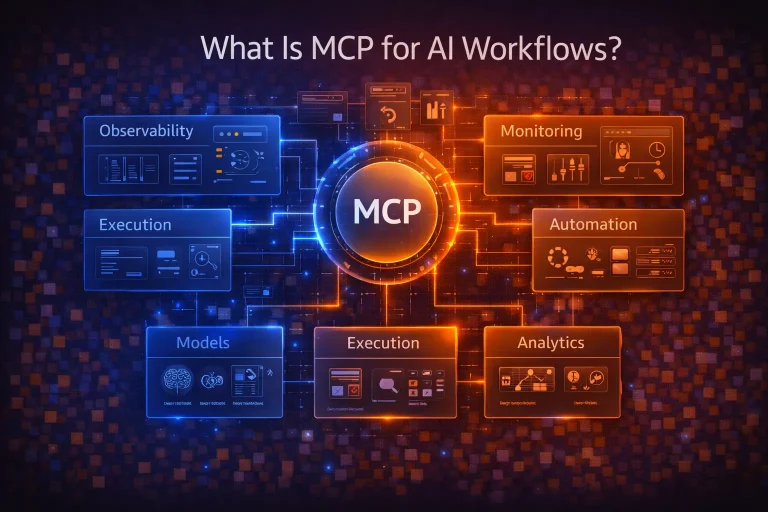
What Is MCP for AI Workflows?
This guide explains MCP for AI workflows in practical terms, including how it changes tool access, where it fits, and what it does not...
Read Guide
What Is the n8n MCP Server?
This guide explains the n8n MCP server in practical terms, including how it works, what it is for, and where it fits in an...
Read Guide