
Relay.app Pricing Explained (2026): Plans, AI Credits, and Cost
A search-friendly breakdown of Relay.app pricing, including plan structure, AI credits, and what actually changes the monthly cost.
This guide explains how Relay.app pricing works in 2026 and where the real cost comes from once workflows start running at volume. It is written for buyers comparing Relay with other AI automation builders, not just skimming the plan page.
Related Tools




Details
Relay.app pricing is easy to understand at a high level and slightly confusing in the details. The practical answer is this: Relay charges on two meters at once—workflow steps and AI credits—so your real cost depends on how often your automations run and how much built-in AI work they do. For most solo operators, the Professional plan is the starting point; for collaborative teams that need shared workflows, approvals, and credentials, the Team plan is the more realistic option.
Relay is strongest when you want an AI-first automation builder that still keeps human review in the loop. If your workflows mostly connect Gmail, Notion, Slack, HubSpot, and other business apps with lightweight branching and approvals, Relay can feel simpler than more technical tools. If you need deep API orchestration, custom code, or infrastructure control, Relay will usually feel more constrained than n8n or Pipedream.
What Relay.app pricing looks like in 2026
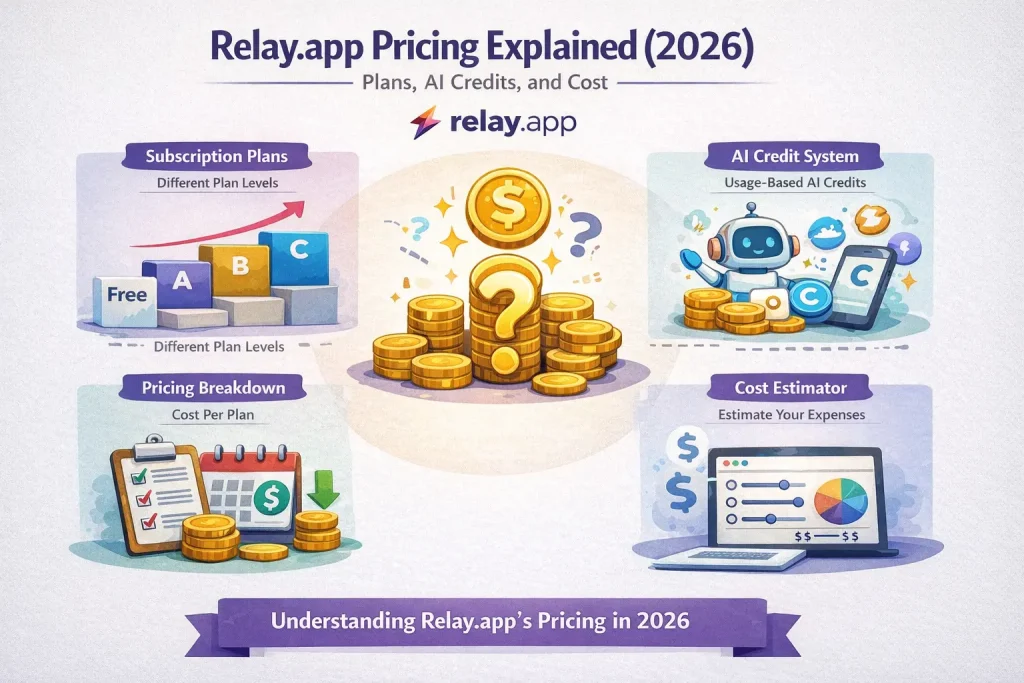
Relay’s public pricing page says the Free plan includes 200 automated steps and 500 AI credits per month, while Professional starts at $19 per month for 750 automated steps and 5,000 AI credits. The Team plan includes 2,000 steps and 5,000 AI credits with up to 10 teammates. Enterprise pricing is custom. Relay also states that all plans include all workflow features, with the main plan difference being whether you are an individual or a team.
One detail to watch: Relay’s AI credits documentation currently describes the included monthly AI credits differently from the pricing page for paid tiers. That is a good reminder that the cost model can change faster than comparison articles do. Before buying, check both the pricing page and the AI credits documentation, especially if your workflows rely heavily on scraping, transcription, or premium models.
Who this pricing guide is for
This guide is most useful if you are trying to answer one of three questions: whether Relay is affordable for a solo builder, whether the Team plan is enough for a small ops team, and whether AI-heavy workflows will stay predictable after launch. If you are just comparing sticker prices, Relay looks straightforward. If you are budgeting for ongoing usage, you need to estimate both step volume and AI credit burn.
How Relay charges for usage
| Pricing factor | What it means in practice | Why it matters |
|---|---|---|
| Steps | Most numbered workflow actions consume a step when they run; triggers do not. | High-frequency automations can outgrow the base plan quickly. |
| AI credits | AI credits are used for model prompts, transcription, text-to-speech, scraping, and search. | AI-heavy workflows can become expensive even when the step count looks modest. |
| Team seats | Team plan supports shared workspaces and collaboration. | Solo-friendly pricing does not automatically translate to team-friendly governance. |
| Add-ons | Paid plans can add more AI credits; Enterprise can negotiate custom needs. | Useful for scaling, but it pushes cost modeling away from the headline price. |
Plan-by-plan breakdown
Free
The Free plan is good for learning the product, building a couple of real automations, and testing whether Relay’s agent-style UI fits your team. It is not a serious production plan for any workflow that runs frequently. Two hundred steps per month disappears quickly if you automate email triage, CRM updates, meeting follow-ups, or content drafting on a schedule.
Choose Free if you are evaluating the builder itself. Do not choose it if you already know the workflow will run daily across multiple apps.
Professional
Professional is the most sensible starting point for freelancers, consultants, and operators building AI-assisted workflows for themselves or a few client use cases. At this level, Relay becomes easier to evaluate on outcomes instead of on hard ceilings. The main question is not whether $19 per month is reasonable; it is whether your workflow design keeps step count and AI usage under control.
Professional makes sense when one person owns the automations and most of the work happens inside one workspace. It is less attractive if multiple teammates need to edit workflows, manage credentials, or handle approvals inside the platform.
Team
Team is where Relay becomes more realistic for revenue ops, marketing ops, recruiting, and internal tools teams. Shared workflows matter more than people expect. Once automations touch shared inboxes, CRM records, approvals, and Slack notifications, having a real team workspace is usually more important than squeezing cost out of an individual plan.
The tradeoff is that Team still uses the same underlying step-and-credit logic. If several people build AI-heavy workflows at once, the base price may stop being the main budgeting concern.
Enterprise
Enterprise is for companies that need custom integrations, security requirements, or ongoing support. This is usually not about raw automation volume alone. It is about procurement, governance, and the cost of having business-critical workflows fail without support.
What actually drives cost
The fastest way to underestimate Relay is to think in “number of workflows” instead of “number of runs.” A workflow that runs once per day may stay inexpensive. A workflow triggered by every inbound email, every new form fill, every support ticket, or every CRM update can burn through steps very quickly.
AI credits are the second cost driver. Relay documents that basic tasks like summarizing an email may use about one AI credit, while transcription and scraping can use more. That means a workflow that combines scraping, summarization, and follow-up drafting can consume far more budget than a simple approval flow, even if both have similar structure on the canvas.
When Relay.app pricing is good value
- You want fast setup for practical AI workflows rather than a deeply technical automation stack.
- You care about human-in-the-loop steps such as approvals, task handoffs, or data input before an automation continues.
- Your app stack is close to Relay’s sweet spot: Gmail, Slack, Notion, HubSpot, and common business tools.
- You value built-in AI and workflow usability more than low-level API control.
When Relay.app pricing is less attractive
- You run high-volume event-driven workflows where step counts pile up quickly.
- You need complex custom code, unusual APIs, or infrastructure-level control.
- You want one simple meter. Relay’s steps plus AI credits model is more nuanced than it first appears.
- You need to forecast spend tightly for many AI-heavy workflows across a larger team.
Common buying mistakes
The first mistake is assuming the base monthly price tells you the whole story. It does not. Relay is a usage product disguised as a simple plan page. The second mistake is testing only low-volume examples. A workflow that feels cheap in week one can behave very differently once every salesperson, recruiter, or support rep starts using it.
The third mistake is importing a template and assuming setup is finished. Templates can cut build time, especially for AI email, CRM, or meeting workflows, but you still need to map fields, adjust triggers, connect accounts, and verify AI prompts on real inputs.
FAQ
Is Relay.app cheaper than Zapier or Make?
It depends on the workflow shape. Relay can be good value when you want AI steps and approvals inside one builder. For simple app-to-app automations, Make or Zapier may be easier to benchmark because their pricing models are more familiar.
What is harder to estimate: steps or AI credits?
AI credits are usually harder to predict because they vary with model choice and task type. Step counts are easier to estimate once you know trigger volume.
Is Relay.app a good fit for technical teams?
It can work for technical teams that want speed and a clean business-user experience, but it is not the best fit when deep API work, custom code, or infrastructure control is the main requirement.
Bottom line
Relay.app pricing is most attractive for individuals and small teams that want AI-assisted workflows, approvals, and quick deployment without managing a more technical automation stack. The headline prices are approachable, but the real cost depends on how many times workflows run and how AI-heavy they are. If you are serious about buying, estimate one month of step volume and one month of AI tasks before you choose a tier.
Official sources to verify before publishing: relay.app/pricing, docs.relay.app/ai/ai-credits, docs.relay.app/workspace-and-account/step-and-ai-credit-usage.
Related Guides

Workato Pricing in 2026: What It Really Costs
This guide explains how Workato pricing works in 2026 and what enterprise buyers are actually paying for beyond the surface-level contract. It is designed...
Read Guide
Zapier Pricing in 2026: Plans, Tasks, and True Cost
This guide explains Zapier pricing in 2026 and where the true cost comes from once workflows move beyond simple automations. It is written for...
Read Guide
Pipedream vs n8n: Which Workflow Builder Fits Better?
This guide compares Pipedream and n8n for technical workflow teams, with a focus on developer experience, visibility, self-hosting, integrations, and pricing logic. It is...
Read Guide