
n8n vs Make for AI Agent Workflows
A practical comparison of n8n and Make for teams building AI agents, MCP integrations, and production workflow logic.
This guide compares n8n and Make specifically for AI agent workflows, not for generic automation. It looks at where each platform is easier, where each is more flexible, and which one fits better when MCP, self-hosting, agent tool use, and workflow control matter.

Related Tools


Details
If you are building AI agent workflows and need to choose between n8n and Make, the short answer is this: n8n is usually the better fit when you want deeper control, native MCP building blocks, and self-hosting flexibility, while Make is usually easier when you want a polished hosted environment and faster setup for structured no-code automations.
That does not mean one platform is universally better. The real difference is where the center of gravity sits. n8n increasingly behaves like an automation platform for developers and advanced builders who want agent tooling, workflow composability, and infrastructure control. Make is strong when you want a managed visual automation platform with a cleaner out-of-the-box experience and newer packaged features such as MCP toolboxes and Make AI Agents.
What each platform is
n8n is a fair-code automation platform that combines workflow automation with a growing set of AI and MCP capabilities. It supports self-hosting, advanced node logic, AI agent tooling, MCP server and client nodes, and now beta support for creating and updating workflows through its MCP server.
Make is a hosted automation platform centered on visual scenarios, broad app integrations, and a polished no-code builder. Its recent AI direction includes Make AI Agents, MCP toolboxes, and a Make MCP server model for exposing selected scenarios as tools to AI systems such as Claude and ChatGPT.
Quick comparison table
| Platform | Best for | Main strength | Main limitation |
|---|---|---|---|
| n8n | Advanced builders, self-hosted teams, agent-heavy workflows | Control, flexibility, native MCP server/client nodes | More setup and infrastructure responsibility |
| Make | Teams that want a managed visual platform and faster no-code setup | Ease of use, polished UI, packaged AI agent features | Less infrastructure control and less developer-style openness than n8n |
Main differences
MCP model
n8n now offers native MCP Server Trigger and MCP Client Tool nodes. That means you can both expose n8n workflows to external AI clients and connect n8n agents to external MCP servers. This two-way model is strong for agent-centric architectures.
Make’s MCP approach is centered on MCP toolboxes and its Make MCP server experience. It is more packaged and user-friendly, but it is also more constrained by Make’s managed product model.
Hosting and control
n8n has a clear advantage if self-hosting matters. Teams that need data locality, custom networking, or tighter operational control often prefer n8n for that reason alone. Make is easier if you do not want to manage infrastructure.
Workflow authoring style
Make often feels cleaner for straightforward no-code scenario design. n8n usually feels stronger once workflows get more custom, more agent-driven, or more dependent on technical control.
Ease of use
Make is generally easier for beginners. Its scenario model is more guided, and its recent AI features are packaged for easier adoption. If your team wants to get from idea to working automation quickly with less infrastructure thinking, Make is often the easier starting point.
n8n is not hard, but it asks for more decisions. That tradeoff pays off later when you need more control over execution, workflow structure, or deployment shape.
Flexibility and customization
n8n is usually the stronger choice for advanced workflows. Its MCP nodes, workflow tools, and self-hosting options make it easier to design around your own architecture rather than adapting to a more fixed platform model.
Make is flexible within the boundaries of its product design, but those boundaries matter more once your AI workflows become infrastructure-like rather than purely operational.
Integrations and ecosystem
Both platforms cover many common integrations, but they play different roles. Make is known for breadth and ease in app-driven automation. n8n has a strong ecosystem too, but for AI agents the more important point is that its MCP support makes external tool ecosystems easier to plug into in a structured way.
Pricing and cost logic
Pricing changes often, so the more useful comparison is cost logic. Make is usually easier to evaluate as a managed service. n8n can become cost-effective when self-hosting fits your scale and team skills, but it also pushes more operational responsibility onto you.
For agent workflows, total cost is not just platform price. It also includes debugging time, integration maintenance, and the cost of failed tool execution.
Best fit by use case
Choose n8n if:
- You want self-hosting or tighter infrastructure control
- You need native MCP server and client patterns
- You expect more custom workflow logic over time
- You are building agent-heavy systems rather than simple task automations
Choose Make if:
- You want a more managed platform
- You care about faster no-code setup
- You want packaged AI Agent and MCP toolbox features
- Your workflows are operational and app-centric more than infrastructure-centric
Limitations and tradeoffs
n8n’s strength is also its cost: more freedom means more architecture work. Make’s strength is also its limit: more polish often means less low-level control. For many teams, the decision comes down to whether they are primarily building automations or building an agent execution layer.
When a template helps
If you are still evaluating patterns, templates can reduce setup time and show how a workflow should be structured in each platform. They are especially useful before you commit to a larger architecture choice.
FAQ
Which is better for beginners building AI agents?
Make is usually easier for beginners because the managed environment and packaged features reduce setup friction.
Which is better for self-hosted agent workflows?
n8n is the stronger fit because self-hosting and infrastructure control are part of its core appeal.
Which has stronger MCP support right now?
n8n is stronger when you want native server and client building blocks inside the workflow platform. Make is strong when you want a simpler managed toolbox model.
Can both work for production AI workflows?
Yes, but the “best” choice depends on whether you value managed simplicity or deeper architectural control more.
Related Guides
Workato Pricing in 2026: What It Really Costs
This guide explains how Workato pricing works in 2026 and what enterprise buyers are actually paying for beyond the surface-level contract. It is designed...
Read Guide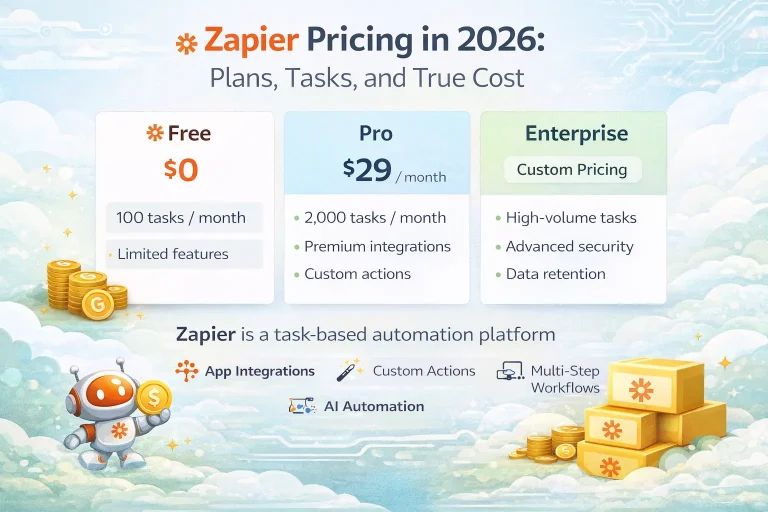
Zapier Pricing in 2026: Plans, Tasks, and True Cost
This guide explains Zapier pricing in 2026 and where the true cost comes from once workflows move beyond simple automations. It is written for...
Read Guide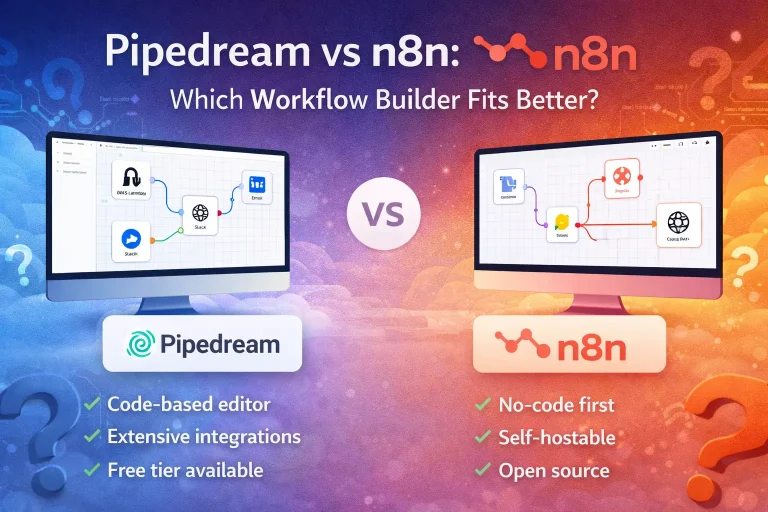
Pipedream vs n8n: Which Workflow Builder Fits Better?
This guide compares Pipedream and n8n for technical workflow teams, with a focus on developer experience, visibility, self-hosting, integrations, and pricing logic. It is...
Read Guide