
MiniMax Office Skills for Research Reports, Excel Models, and PPT Editing
MiniMax is most compelling when office work spans research, spreadsheet logic, and presentation output inside one deliverable workflow.
This guide focuses on the three MiniMax Office Skills use cases that appear most credible today: research reports, Excel models, and PowerPoint editing. It explains where the system fits, what kind of workflow each use case needs, and what still requires human ownership.

Related Tools

Details
If you want to understand where MiniMax Office Skills are most useful, focus on three workflow families: research reports, Excel models, and PowerPoint editing. Those are the scenarios MiniMax has discussed most concretely in public, and they are also the scenarios where ordinary chat outputs are usually not enough. In each case, the hard part is not just generating content. It is producing an artifact that survives editing, review, and reuse.
These three use cases also reveal the real shape of the product. MiniMax is not only trying to be a better writing assistant. It is trying to act more like an office-work execution layer: read source material, make intermediate decisions, then produce structured files that can move through a real team workflow.
Use case 1: research reports
Research reports are a strong fit because they combine retrieval, synthesis, structure, and formatting. MiniMax has described workflows where an expert framework or SOP is combined with Word Skills so the agent can fetch information, organize the analysis, and output a formatted report rather than a raw text block.
That is useful in equity research, market analysis, internal memos, policy drafting, and strategy reports. The best fit is a workflow where there is already a known report structure: sections, methodology, citation expectations, and review standards. MiniMax can then do more than drafting paragraphs. It can work toward a specific deliverable shape.
What still needs human ownership is the analytical standard. A clean document is not the same as a correct conclusion. Research teams should treat the AI output as a structured first draft or research assistant layer, not as the final analyst.
Use case 2: Excel models
Excel models are one of the most interesting MiniMax use cases because they expose the gap between “content generation” and “usable file generation.” In a real spreadsheet workflow, preserving formulas, assumptions, workbook structure, and downstream editability matters much more than producing a nice-looking table.
MiniMax’s public office positioning explicitly includes Excel calculations and financial modeling. It has also published an example involving revenue modeling from company documents and research sources. That suggests the product is aiming at workflows where the model helps with both reasoning and workbook output, not just CSV-like data dumps.
The best fit here is analyst support, operations planning, KPI modeling, and template-based finance work. The weaker fit is highly regulated or final-signoff modeling where every assumption needs formal traceability and internal approval controls around the spreadsheet workflow.
Use case 3: PowerPoint editing
PowerPoint editing is often a better use case than “generate a deck from nothing.” Real teams already have slide masters, standard storylines, and recurring deck formats. MiniMax appears well suited to the harder part: revising an existing presentation, inserting updated findings, adjusting slide content, and keeping the deck editable.
That can be useful for executive updates, sales decks, board materials, and internal presentations. The key value is reducing the manual friction between research output and presentation output. Instead of generating bullet points in one tool and rebuilding the deck in another, the agent can work closer to the actual artifact.
The limitation is that slide quality is partly about judgment. Even if the file remains clean, the narrative structure and emphasis may still need a human editor.
How these use cases work together
What makes MiniMax especially interesting is that these are not isolated tasks. A realistic office workflow may start with research, continue into modeling, and end with a report and a presentation. MiniMax’s public examples and experts ecosystem point toward exactly that kind of chained workflow. In other words, the product is most differentiated when it handles a document system, not a single file action.
| Use case | Best outcome | Main value | Main human check |
|---|---|---|---|
| Research reports | Formatted review-ready document | Combines research and file output | Reasoning quality and source judgment |
| Excel models | Editable workbook with intact logic | Supports spreadsheet-centered analysis | Assumptions and financial validity |
| PPT editing | Usable deck revision inside template constraints | Reduces manual slide rebuilding | Storyline and presentation judgment |
Where a template helps most
All three use cases improve when there is a strong template. A report template stabilizes the document structure. A finance model template limits spreadsheet ambiguity. A slide template keeps layout and style predictable. MiniMax appears most useful when it works inside those constraints rather than inventing a brand-new format each time.
Who should care about these workflows
These workflows are most relevant for analysts, operations teams, BD teams, finance teams, and anyone who repeatedly turns source material into office deliverables. They are less relevant for teams whose main need is event-driven automation, routing, or simple document assembly.
FAQ
Which of the three use cases is strongest?
Publicly, research-report and spreadsheet-model scenarios are the most differentiated because MiniMax keeps emphasizing both reasoning and deliverable file quality there.
Can one workflow produce all three outputs?
Potentially yes. MiniMax has shown examples that move from research and modeling into both Word and PowerPoint outputs.
Is this better than a normal prompt plus export script?
Usually yes, if the file has to remain editable and structurally clean. That is where format-aware skills matter most.
Conclusion
MiniMax Office Skills make the most sense in office workflows where the output must be more than text. Research reports, Excel models, and PowerPoint editing are the clearest examples because they combine reasoning, file structure, and revision fidelity. If your team works inside repeatable office deliverables, these are the use cases most worth evaluating first.
Related Guides
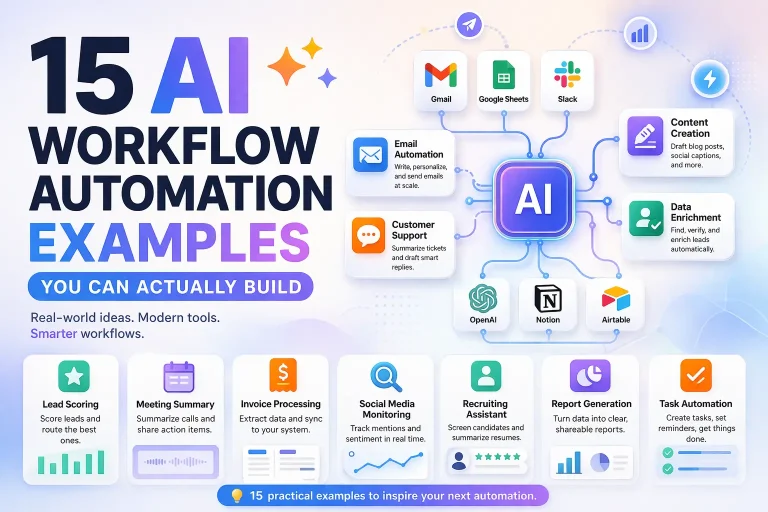
15 AI Workflow Automation Examples You Can Actually Build
This guide covers concrete AI workflow automation examples that teams can actually implement with tools like n8n, Make, Relay.app, Gumloop, or Pipedream. The goal...
Read Guide
How n8n Fits Into an AI Agent Stack
This guide explains how n8n fits into modern AI agent systems, especially when agents need to call tools, run workflows, and interact with business...
Read Guide
n8n for Operations: Where It Fits and What It Automates Best
This guide explains where n8n fits in operations work, what it automates well, and what teams need in place before building production workflows.
Read Guide