
Microsoft Copilot + MCP Workflow Use Cases
A practical look at where Microsoft Copilot and MCP are useful together for internal knowledge, CRM, service, and agent-triggered workflows.
This guide covers the workflow use cases where Microsoft Copilot and MCP fit together especially well, including internal knowledge search, sales assistance, and deterministic agent flows. It is most relevant for teams already operating inside the Microsoft stack.
Details
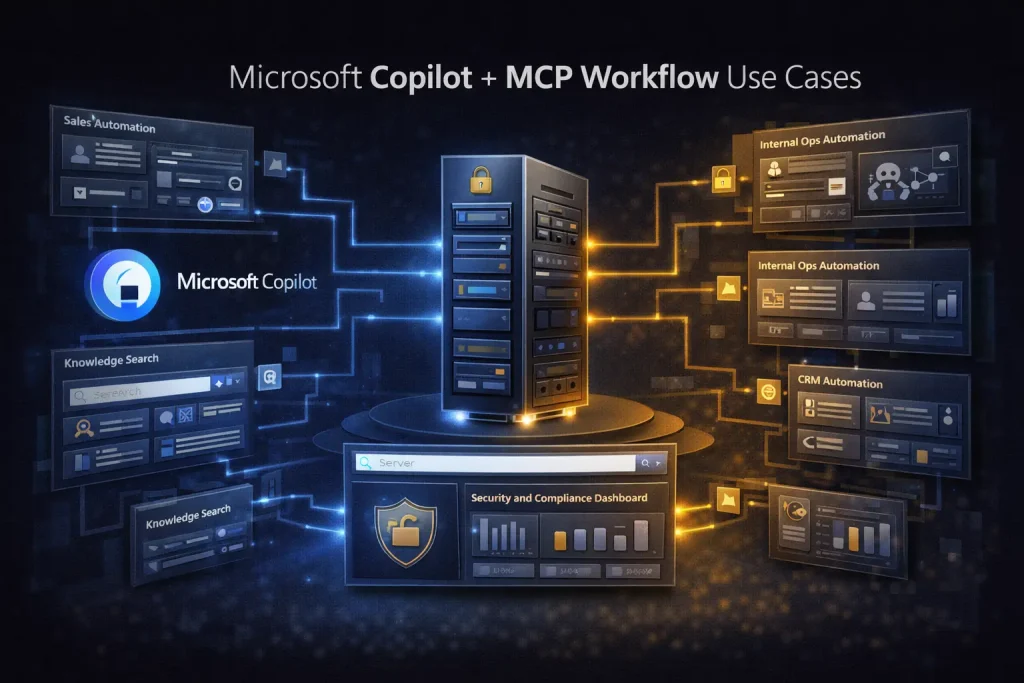
Microsoft Copilot plus MCP is most useful when the workflow needs enterprise context that already lives inside Microsoft 365, Dynamics, or connected line-of-business systems. MCP gives Copilot Studio access to resources, tools, and prompts from MCP servers, while Copilot’s agent and flow layers provide a way to turn that access into operational workflows.
In plain terms, this combination matters when your users need more than chat. They need an agent that can look up internal work context, act on business systems, and return the result inside a governed Microsoft environment.
Use case 1: internal knowledge search with work context
Work IQ MCP is one of the clearest examples. Microsoft positions it as a way to connect agents to work intelligence from emails, meetings, files, chats, and line-of-business data. That makes it useful for questions such as ‘what did we decide in the last customer meeting?’ or ‘summarize the latest project files and open action items’.
Use case 2: sales assistance with CRM context
Dynamics 365 Sales now has an MCP server that can expose sales-specific tools. A Copilot workflow can retrieve current sales data, generate insights, draft emails, or prepare next steps for a seller. This is more useful than a generic assistant because the model can act on live sales context instead of static background text.
Use case 3: customer service and cross-functional operations
Microsoft also supports Customer Service MCP scenarios, which makes it possible to connect service data to agents and combine it with other business systems. That is useful for workflows such as summarizing a case, checking related account context, and preparing the next action for a service team.
Use case 4: agent-triggered deterministic workflows
Copilot Studio distinguishes agent reasoning from agent flows. Agent flows are deterministic and can be triggered by an agent as a tool, then return results to that same agent. This is a useful pattern when the final business process should be predictable even if the user’s request starts as a conversational prompt.
Use case 5: federated access to external enterprise content
Microsoft 365 Copilot connectors now support a federated connector model in early access that retrieves external content in real time using MCP instead of indexing it into Microsoft Graph. That is important for organizations that want current answers from external systems without syncing all content into one index first.
| Use case | What MCP adds | Why Copilot matters |
|---|---|---|
| Internal knowledge search | Live access to work data and knowledge servers | Governed assistant experience inside Microsoft workflows |
| Sales assistance | Real CRM tools and sales context | Seller-facing agent experience with Microsoft stack alignment |
| Service operations | Access to service and related business data | Useful for case handling and cross-team routing |
| Agent-triggered flows | Bounded tools and connected actions | Combines conversational entry with deterministic execution |
| Federated enterprise search | Real-time retrieval from external systems | Keeps answers current without full indexing |
What this stack is best for
This stack is best for organizations already committed to Microsoft 365, Dynamics, or Copilot Studio. The value comes from identity, governance, and work-data proximity. If your main systems live elsewhere, the setup may feel heavier than a cross-app automation platform.
Where the limits show up
Copilot plus MCP is not automatically the best fit for every automation use case. If you need fast cross-app workflows across many SaaS tools, a broad automation platform can be simpler. If you need very custom developer-controlled logic, a more flexible orchestration stack may be easier to shape.
When a template helps
Templates help when the pattern is stable, such as request triage, internal answer generation, or a follow-up action after retrieval. They do not replace the work of choosing the right MCP servers, mapping permissions, and deciding where deterministic flows should take over from open-ended conversation.
FAQ
Do I need Copilot Studio to use MCP with Microsoft workflows?
For many business-facing workflows, Copilot Studio is the clearest path because it can connect to MCP servers and run agent flows or agent tools inside the Microsoft environment.
Is this mainly for internal use cases?
That is where the combination is strongest today, especially for knowledge retrieval, work context, sales support, and service operations.
Should I use MCP or connectors?
Use the option that matches the data and freshness requirement. MCP is especially useful when you want live retrieval or live actions rather than static indexing alone.
Conclusion
Microsoft Copilot plus MCP is most compelling when enterprise work context is the product. Internal knowledge search, sales assistance, service workflows, and agent-triggered deterministic flows are the clearest use cases. The combination is less about novelty and more about turning Microsoft business context into governed, usable workflow steps.
Related Guides
15 AI Workflow Automation Examples You Can Actually Build
This guide covers concrete AI workflow automation examples that teams can actually implement with tools like n8n, Make, Relay.app, Gumloop, or Pipedream. The goal...
Read Guide
How n8n Fits Into an AI Agent Stack
This guide explains how n8n fits into modern AI agent systems, especially when agents need to call tools, run workflows, and interact with business...
Read Guide
n8n for Operations: Where It Fits and What It Automates Best
This guide explains where n8n fits in operations work, what it automates well, and what teams need in place before building production workflows.
Read Guide