
How to Use MCP for CRM Automation
A practical guide to using MCP to read live CRM context and turn it into controlled automation instead of blind record changes.
This guide explains how to use MCP for CRM automation in a way that is useful but still operationally safe. It focuses on bounded CRM tasks, live context retrieval, duplicate checks, and selective write approval.
Related Tools



Details
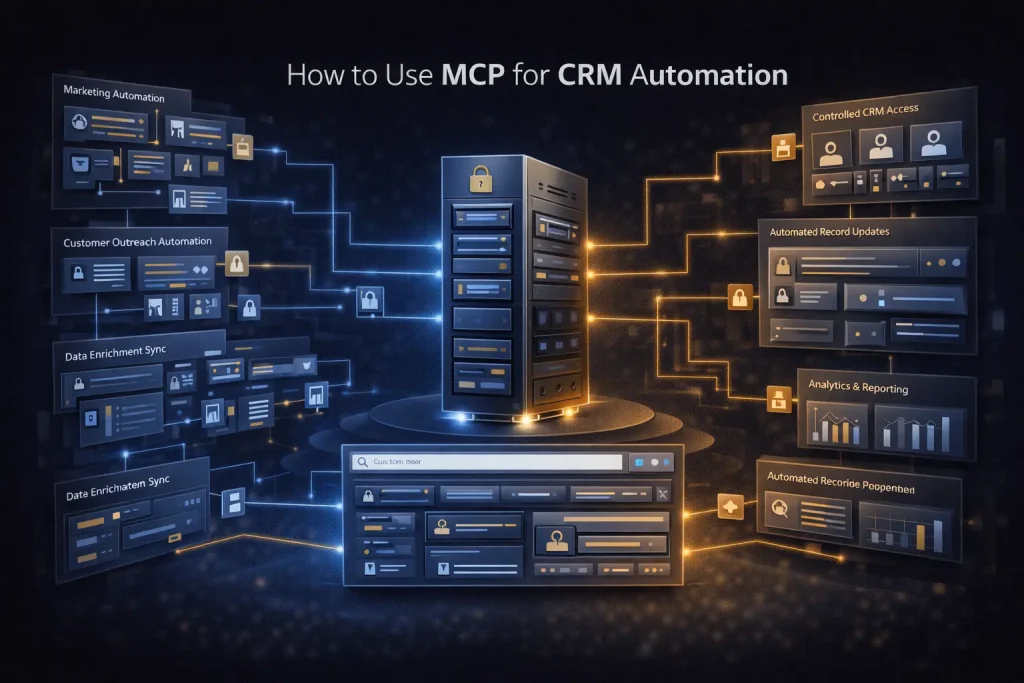
Using MCP for CRM automation means exposing CRM data and actions as controlled tools that an AI client or agent can call in context. Instead of forcing an assistant to guess from static prompt text, MCP lets it retrieve live records, check account history, draft follow-up actions, or propose updates based on the current state of the CRM.
The best use cases are not generic ‘do anything in the CRM’. They are narrow workflows such as lead enrichment, contact lookup, duplicate checking, note drafting, meeting follow-up, and stage-change suggestions. The narrower the CRM toolset, the easier it is to trust and operate.
What you will build
You will build an MCP-backed CRM workflow where an AI step can read relevant CRM context, prepare a structured outcome, and optionally pass a proposed write action into an approval or execution step.
When to use this workflow
This pattern is useful when CRM work depends on current records and context from other systems. Examples include routing inbound leads, drafting follow-up tasks after a meeting, summarizing account activity for a rep, or checking whether a form submission matches an existing contact before creating a new record.
What you need before you start
- A CRM system or CRM-facing platform that can be exposed through MCP or a workflow layer
- A narrow set of allowed CRM actions such as lookup, create note, update stage, or create task
- A workflow platform or MCP-capable client
- Clear rules for duplicate handling, ownership, and write approval
- Logging for every CRM read and write action
Step-by-step setup
Step 1: Define the CRM job to automate
Choose one bounded use case first. Good starting points are lead lookup, duplicate checking, account summary generation, or post-call follow-up creation. Avoid starting with broad account management.
Step 2: Expose only the CRM tools you need
For a lead routing workflow, you may only need search contact, search company, create task, and create note. For a sales assistant workflow, you may add stage lookup or activity summary tools. Keep writes narrower than reads.
Step 3: Retrieve live CRM context before the AI decides
Use MCP or a workflow layer to pull the current record, ownership, recent activity, and any related deal or company data. This gives the model actual context rather than relying on stale or partial prompt input.
Step 4: Ask the model for a structured output
Have the model return a clear decision object such as match confidence, recommended owner, suggested next step, and a proposed task or note. Structured output is easier to validate than free-form prose.
Step 5: Add duplicate and overwrite checks
CRM automation fails most often when it creates duplicate records or overwrites good data. Before any write happens, compare the proposed action against existing contact, company, or deal records.
Step 6: Decide whether writes need approval
Creating an internal note may be safe to automate. Updating account ownership or sending a customer-facing follow-up email often should not be fully automatic. Route those through approval if the impact is meaningful.
Step 7: Log the result back to the workflow
Store what data was read, what decision was proposed, whether a write happened, and who approved it if approval was required.
How to test the workflow
- Submit a net-new lead and confirm the workflow searches the CRM before creating a record.
- Submit a known lead and confirm the duplicate path is triggered.
- Test a low-risk write such as task creation and verify the correct owner and record are used.
- Test a high-risk update and confirm approval routing happens before execution.
Common problems and fixes
The AI creates duplicate contacts
Add stricter matching logic and do not let the model decide identity alone. Use CRM IDs, email normalization, and company-domain checks.
The workflow updates the wrong fields
Limit writable fields and validate the output schema before the write step.
The AI sees too little context
Pull recent activities, owner, lifecycle stage, and linked company information before the model step.
When to use a template instead of building from scratch
Templates are useful for common CRM patterns such as lead capture, routing, enrichment, and follow-up task creation. They save time on field mapping and trigger structure. They do not remove the need to set your own duplicate policy, approval rules, or ownership logic.
Final notes
MCP makes CRM automation more useful because the model can act on live context, not just static prompt text. The part that still requires care is execution. Narrow tools, strong duplicate checks, and selective approval usually matter more than the prompt itself.
Related Guides

How to Build a Self-Hosted Research Agent
This guide walks through how to build a self-hosted research agent, including the workflow layers you need, the setup order that works best, and...
Read Guide
How to Use MCP for Internal Knowledge Search
This guide explains how to use MCP for internal knowledge search across documents, work data, and operational documentation. It focuses on retrieval design, permission...
Read Guide
How to Use MCP for Internal Ops Automation
This guide shows how to use MCP for internal ops automation without turning internal systems into a broad agent surface. It focuses on narrow...
Read Guide