
How to Build an n8n Typeform to HubSpot Lead Capture Workflow
A practical guide to sending Typeform submissions into HubSpot, qualifying interest, and following up with n8n.
This guide shows how to build an n8n workflow that turns Typeform submissions into HubSpot contacts and optionally moves high-intent leads into an outreach path. It is a good fit for teams that want a simple lead capture flow before adding heavier scoring or routing logic.
Related Tools


Details
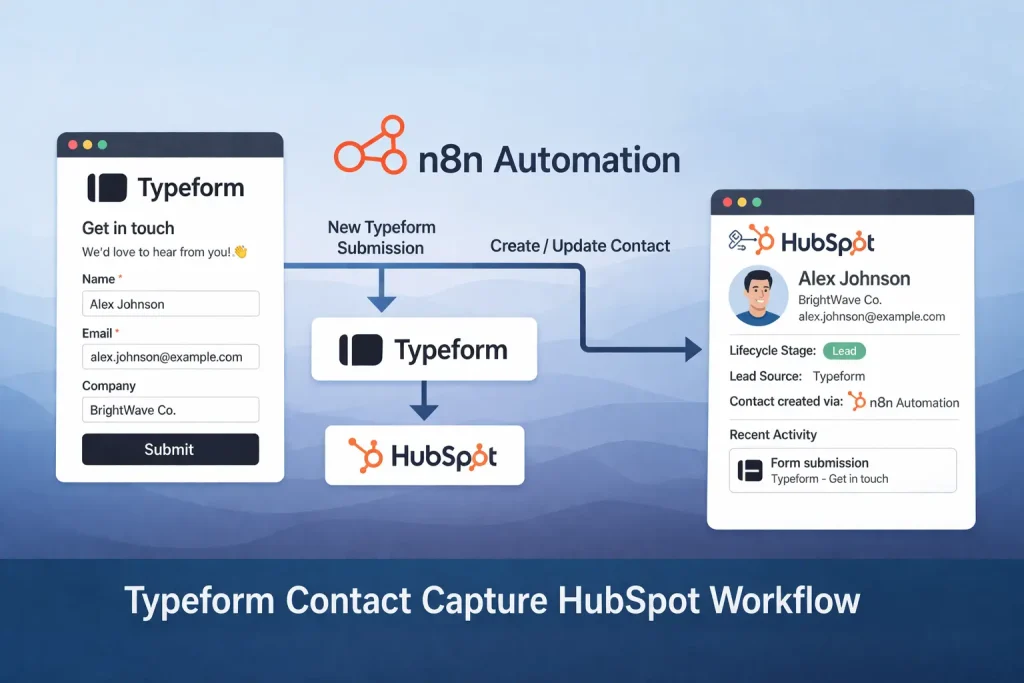
An n8n Typeform to HubSpot workflow is a practical way to turn form submissions into usable lead records without manual copying. The basic pattern is simple: a Typeform trigger starts the workflow, a set step reshapes the form fields, HubSpot creates the contact, and conditional logic decides whether to update the lead stage or send a follow-up email.
This setup is useful when your form is already collecting the right qualification fields, such as service interest, company size, or budget range. It is less useful when you need deeper enrichment, external scoring, or multi-step routing across several teams. In those cases, this lead capture workflow is still a good first layer, but it usually needs extra nodes later.
What you will build
You will build an n8n workflow that listens for a new Typeform response and converts the submission into a HubSpot contact. After that, the workflow can branch based on the submitter’s answers. In the source template, one branch updates the lead stage in HubSpot for business-service interest and another path can send an informational email through Gmail. A no-op branch handles lower-intent submissions without breaking the run.
When to use this workflow
Use this pattern when Typeform is acting as a landing page form, demo request form, service inquiry form, or newsletter gate and HubSpot is your source of truth for contacts. It is especially useful when marketing owns the form but sales works in HubSpot. The workflow keeps the handoff immediate and visible.
Do not start here if your form is messy, your required fields are inconsistent, or your HubSpot property model is not ready. Automation will only make those gaps show up faster.
What you need before you start
- An n8n workspace with access to Typeform, HubSpot, and Gmail credentials.
- A Typeform with stable field names for email, name, company, and the qualification field you care about.
- Matching HubSpot contact properties so the field mapping is predictable.
- A follow-up email draft or at least a clear subject and body structure if you plan to send outreach automatically.
Step-by-step setup process
- Add a Typeform Trigger node and connect it to the form that should start the workflow.
- Insert a Set or Edit Fields node to normalize the incoming payload. This is where you rename Typeform answers into cleaner keys such as first_name, last_name, email, company, and interest_level.
- Add a HubSpot node to create a contact. Map the normalized fields instead of raw Typeform paths so later maintenance is easier.
- Add an If node that checks the interest answer or another qualification signal. Keep the first condition simple. For example, check whether a service-interest field equals a target value.
- On the true branch, add a HubSpot update step to move the contact to a stage you actually use. Avoid creating a custom stage if your team already works from lifecycle stage or lead status.
- If needed, add a Gmail node to send a short follow-up email. Keep it informational rather than aggressive, because the lead has only filled out a form at this point.
- On the false branch, add a no-op or a lightweight logging step. That keeps the flow explicit and makes debugging easier.
How to test the workflow
Run the workflow with one real test submission, not only pinned sample data. Confirm that a contact appears in HubSpot, the mapped properties are populated correctly, and the branching logic behaves the way you expect. If you enable email, verify both the email content and the recipient address. A workflow can appear successful in n8n while still creating incomplete CRM data.
Common problems and fixes
- Missing field mapping: Typeform labels change, but your Set node still expects the old key. Lock down the form structure before you scale.
- Duplicate contacts: HubSpot may match existing emails differently than you expect. Decide early whether your workflow should always create, upsert, or search first.
- Wrong branch behavior: Free-text fields are harder to route than fixed choice fields. Use structured answers whenever possible.
- Email sends to the wrong segment: Test the If conditions with both positive and negative cases before turning the workflow on.
When to use a template instead of building from scratch
A prebuilt template helps when the workflow pattern is standard and your main work is credential setup and field mapping. That is exactly the case here. Importing a template can save time because the node order and branch structure are already laid out. You still need to reconnect accounts, map your own HubSpot properties, and rewrite the qualification rule to match your form.
Build from scratch only if your form has multiple products, regional routing, SDR assignment rules, or post-submit enrichment that changes the overall structure. Otherwise, a template is usually the faster route.
FAQ
Can I use another form tool instead of Typeform?
Yes. The logic is portable. You can replace the Typeform trigger with another form source as long as you remap the payload fields.
Should I update the lead stage immediately?
Only if the form signal is strong enough. If the form is broad, it is safer to create the contact first and apply a later qualification step.
Do I need Gmail in this workflow?
No. Gmail is optional. The core workflow is the Typeform trigger, field normalization, HubSpot contact creation, and branching.
Final notes
This workflow is best treated as a reliable first-mile lead capture flow. The main value is not complexity. It is consistency. If every form submission lands in HubSpot with predictable fields and a clear next step, your later scoring, routing, and reporting layers become much easier to build.
Related Templates
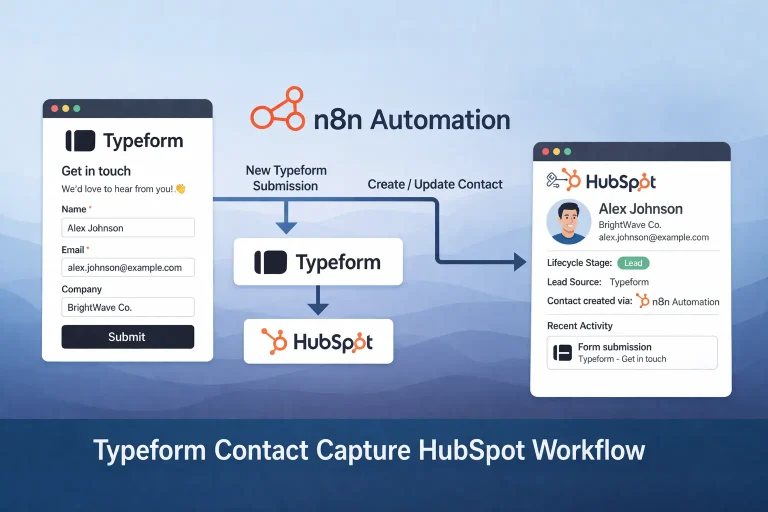
Typeform Contact Capture HubSpot Workflow Template
Capture Typeform submissions in HubSpot, mark interested leads as opportunities, and send a follow-up email from one n8n workflow.
View TemplateRelated Guides

How to Build a Self-Hosted Research Agent
This guide walks through how to build a self-hosted research agent, including the workflow layers you need, the setup order that works best, and...
Read Guide
How to Use MCP for CRM Automation
This guide explains how to use MCP for CRM automation in a way that is useful but still operationally safe. It focuses on bounded...
Read Guide
How to Use MCP for Internal Knowledge Search
This guide explains how to use MCP for internal knowledge search across documents, work data, and operational documentation. It focuses on retrieval design, permission...
Read Guide