
How to Automate LinkedIn Lead Generation with n8n
Learn how to build a repeatable LinkedIn lead generation workflow in n8n using Apollo, Google Sheets, and enrichment tools.
Learn how to automate LinkedIn lead generation with n8n using Apollo, Google Sheets, and enrichment steps for cleaner prospect data.

Related Tools




Details
LinkedIn is still one of the most useful channels for B2B prospecting, but the process around it is usually messy. Teams search for people, copy profile links into spreadsheets, look up contact data, validate email addresses, and then try to organize everything before outreach begins. Even when the list-building part works, the follow-up work often turns into a patchwork of manual steps.
That is where workflow automation becomes useful. Instead of treating lead generation as a one-time scraping task, you can build a system that collects, enriches, validates, and organizes prospect records in a structured way. In practice, this means fewer handoffs, fewer broken rows in spreadsheets, and a better starting point for outbound campaigns.
In this guide, we will walk through how to automate LinkedIn lead generation with n8n. The goal is not just to pull profile data, but to create a repeatable workflow that can move leads through multiple stages, store progress clearly, and prepare the final output for sales or recruiting use.
What this workflow is designed to do
A solid LinkedIn lead generation workflow usually needs to do more than return names and profile URLs. It should also handle enrichment, cleanup, and record management. A practical setup often includes these stages:
- Collect lead criteria such as role, location, or lead volume
- Pull matching prospect records from a lead source
- Store those records in a working dataset
- Clean or transform profile data into usable identifiers
- Reveal or validate contact information
- Add profile context that can support outreach
- Move complete records into a final destination
When you automate this process in n8n, the real advantage is not just speed. It is consistency. Every row moves through the same steps, and every failure point can be tracked and retried without rebuilding the whole process manually.
Why n8n works well for LinkedIn lead generation
n8n is a good fit for this type of workflow because it can coordinate multiple services without forcing everything into one platform. Lead generation often depends on a combination of tools: one service to source prospects, another to store records, another to enrich or validate data, and sometimes another to summarize or clean the output.
That makes n8n useful for teams that want to keep their stack flexible. You can connect Apollo for sourcing, Google Sheets for tracking, OpenAI for summarization, and external profile scraping providers for additional enrichment. If one part of the workflow changes later, you can swap out a provider without redesigning the whole process from scratch.
It also helps that n8n supports branching logic and scheduled retries. In lead generation, that matters. Contact data fails, scraping requests return incomplete results, and some rows need another pass. A workflow that assumes every step succeeds on the first attempt usually breaks down in real-world use.
A practical workflow structure
A common structure for LinkedIn lead generation in n8n looks like this:
- Accept lead criteria from a form or another input source
- Send the request to Apollo or a similar lead source
- Store raw lead records in Google Sheets
- Extract cleaner LinkedIn identifiers from profile URLs
- Request contact enrichment and validate email data
- Pull profile details and recent activity where available
- Summarize raw text into shorter lead notes
- Move complete rows into a final sheet or CRM-ready dataset
This structure works because it separates the collection phase from the enrichment phase. Instead of trying to do everything in one pass, you let records move through the workflow in stages. That makes debugging easier and keeps the system usable even when one part of the process fails temporarily.
Why Google Sheets is often the right middle layer
Many workflow builders try to skip spreadsheets too early, but for lead generation they are often useful. Google Sheets can act as a simple operating layer between raw prospect collection and final enrichment. Each row becomes a trackable unit of work, and status columns make it easy to see whether email validation, profile enrichment, or summarization has already been completed.
This is especially helpful if more than one person needs to review the data. Sales operators, recruiters, or researchers can inspect rows without opening the workflow itself. At the same time, n8n can keep reading and updating the sheet as records move through each stage.
Once the process becomes more mature, you can always replace the sheet with Airtable, Notion, or a database. But for many teams, Google Sheets is a useful starting point because it reduces friction and makes the automation easier to inspect.
Where enrichment adds real value
The difference between a weak prospect list and a useful one usually comes down to enrichment. A name and a company are not enough for most outreach workflows. You want enough context to decide whether a lead is relevant and how to approach them.
That is why a stronger n8n setup often includes:
- Email validation, so unusable addresses do not move into campaigns
- Profile-level context, so a rep can see role, background, or activity
- Recent post analysis, which helps with personalization and relevance
- Short summaries that reduce the need to read every raw field manually
This is where OpenAI can play a useful role. It is not there to replace sourcing or validation. It is better used after the data has already been collected, as a way to turn messy profile information into shorter summaries or notes that a team can actually use.
How to think about workflow reliability
A LinkedIn lead generation workflow is only useful if it can handle partial failure. Some profile requests will fail. Some enrichment steps will return incomplete data. Some rows will need a retry because a provider rate-limited the request or returned a temporary error.
That means your workflow should not assume success at every step. A better design includes status tracking and retry logic. For example, if a row fails during email validation or profile enrichment, it should be possible to reset that stage and process the record again later. This avoids manual cleanup and makes the workflow much easier to operate over time.
This is one reason multi-stage workflows tend to outperform simpler one-pass automations. They are more realistic about how prospecting data behaves in production.
Common mistakes to avoid
There are a few mistakes that show up again and again when teams build lead generation workflows.
Trying to do everything in one branch
A single-path workflow is harder to debug and harder to retry. Separating collection, enrichment, validation, and summarization into stages gives you much more control.
Skipping status fields
If you cannot see which rows are pending, completed, or failed, the workflow becomes difficult to manage. Status fields are simple, but they are one of the most useful parts of a scalable setup.
Using raw scraped data directly in outreach
Scraped data often needs cleanup before it becomes useful. Summaries, validation, and light formatting improve the final dataset significantly.
Overbuilding too early
You do not need a full CRM integration on day one. A Google Sheets-based workflow is often enough to prove the process before moving to a more complex stack.
Where this fits in a larger sales or recruiting system
Once the workflow is working, it can become the front end of a broader outbound system. The final enriched sheet can feed a CRM, trigger outbound email steps, support recruiter review, or flow into reporting and lead scoring systems.
That is why it is useful to think of the workflow as an operating layer, not just a scraping script. It is creating a structured prospect dataset that can support multiple downstream actions. In that sense, the workflow becomes part of your pipeline architecture, not just a one-off task.
Conclusion
If you want to automate LinkedIn lead generation with n8n, the best approach is usually a staged workflow rather than a simple export. Start by collecting prospect records, store them in a trackable dataset, enrich them in separate branches, validate what matters, and only then move complete rows into a final destination.
That structure gives you cleaner data, better visibility, and a workflow that can be maintained over time. It also makes it easier to extend the process later into CRM sync, outbound sequencing, or lead scoring.
If you are building a repeatable prospecting system rather than a one-time list, this is the kind of workflow architecture worth using.
Related Templates

LinkedIn Lead Generation & Enrichment n8n Workflow Template
Collect LinkedIn prospects, enrich their contact and profile data, and organize the final output in Google Sheets with a multi-step n8n workflow.
View TemplateRelated Guides

How to Build a Self-Hosted Research Agent
This guide walks through how to build a self-hosted research agent, including the workflow layers you need, the setup order that works best, and...
Read Guide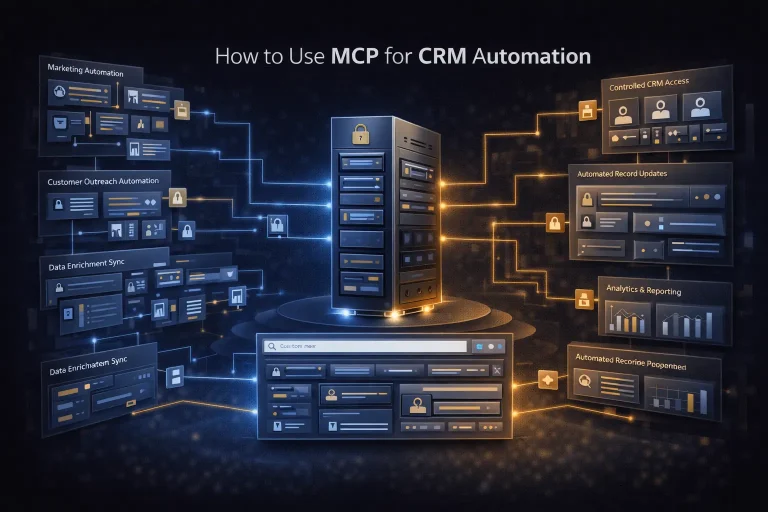
How to Use MCP for CRM Automation
This guide explains how to use MCP for CRM automation in a way that is useful but still operationally safe. It focuses on bounded...
Read Guide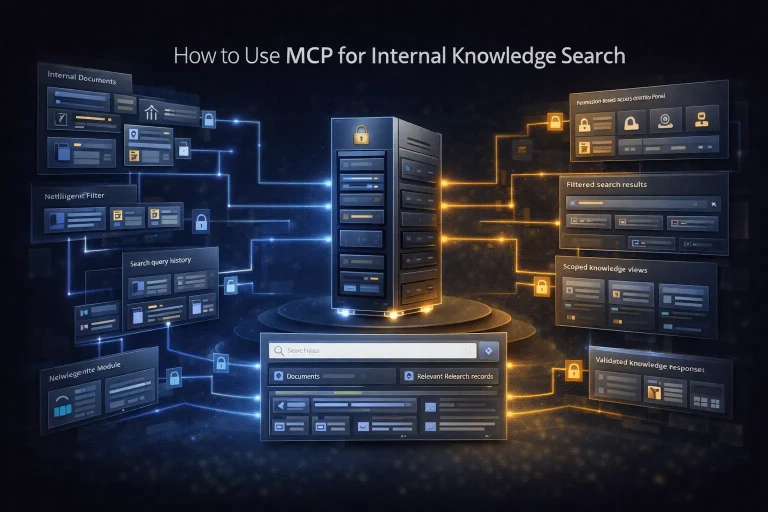
How to Use MCP for Internal Knowledge Search
This guide explains how to use MCP for internal knowledge search across documents, work data, and operational documentation. It focuses on retrieval design, permission...
Read Guide