
12 Business Process Automation Examples for Modern Teams
A practical look at business process automation examples that reduce handoffs, delays, and avoidable manual work.
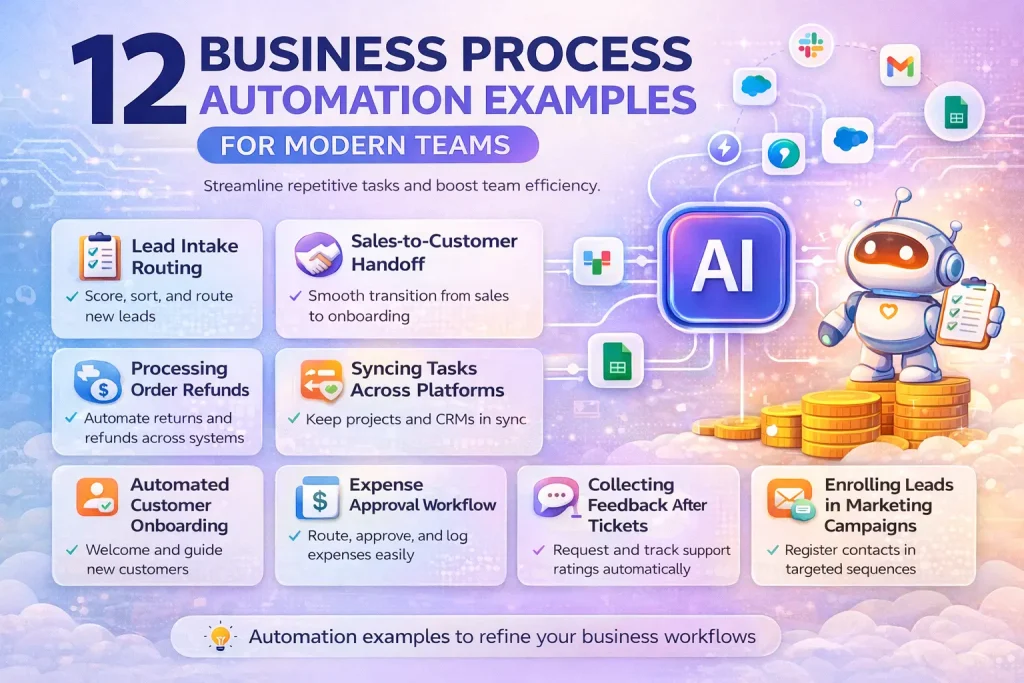
This guide breaks down business process automation examples that operations, finance, support, and go-to-market teams can actually use. It focuses on repeatable business processes, where automation helps most, and where AI adds value without replacing core workflow logic.
Related Tools





Details
Business process automation examples are most valuable when they target processes that are repeated, rule-driven, and slowed down by handoffs between tools or teams. Good examples usually involve forms, approvals, status updates, routing, notifications, and record creation rather than highly open-ended work.
For most teams, the best starting point is not a complex transformation program. It is one process that already exists, already hurts, and already has a clear start point and end point. Once that process is stable, automation platforms can reduce delay, remove manual copying, and improve visibility across the team.
What counts as business process automation
Business process automation usually refers to automating repeatable operational steps inside a defined process. That might include taking an input, checking conditions, routing work, creating records, notifying the right person, and updating system status. AI can help in some cases, but the core of business process automation is still process reliability and clear handoff logic.
Quick examples table
| Process | Best for | Main automation value | Main systems involved |
|---|---|---|---|
| Employee onboarding | HR and IT | Provisioning and coordination | HRIS, email, tickets |
| Invoice approval | Finance teams | Routing and status control | Forms, accounting, Slack |
| Lead handoff | Marketing and sales | Faster routing | Forms, CRM, notifications |
| Support escalation | Support ops | Queue movement | Help desk, alerts, docs |
| Content production | Marketing teams | Workflow visibility | Briefs, docs, tasks |
12 business process automation examples worth building
1. Employee onboarding workflow
When a new employee record is created, the workflow can generate IT tickets, send welcome materials, assign training tasks, create shared folder access requests, and alert the manager about pending steps. This is one of the clearest automation wins because the sequence is repeatable and delays are easy to notice.
2. Employee offboarding workflow
Offboarding often touches HR, IT, finance, and security. Automation can collect the departure date, trigger account access removal requests, update internal systems, notify payroll, and confirm equipment return. The main value here is not speed alone, but consistency and reduced risk.
3. Invoice intake and approval
Invoices often arrive by email or upload, then sit unassigned. An automation can extract key fields, match the invoice to a vendor or cost center, route it to the right approver, and update approval status as each step is completed. If AI is used, it is usually for field extraction rather than for approval decisions.
4. Purchase request approval workflow
A request form can trigger logic based on spend amount, department, or request category. The system can route low-value requests to one approver and higher-risk requests to finance or legal. The benefit comes from removing informal approval chains that only live in email or chat threads.
5. Marketing-to-sales lead handoff
When a qualified lead meets a threshold, the workflow can enrich the record, assign an owner, create a CRM task, and notify the right rep. The common mistake here is automating assignment before the qualification rules are clear. The process works better when the route criteria are explicit.
6. Support escalation management
A support ticket that meets certain SLA or severity conditions can be escalated automatically to a specialist queue, management channel, or incident workflow. This reduces manual monitoring and keeps escalation rules consistent, especially across distributed support teams.
7. Contract review workflow
When a sales or procurement contract is submitted, the workflow can collect the document, assign reviewers, log status, and notify the next stakeholder when edits are complete. AI can help summarize key clauses or flag missing sections, but legal approval still belongs in the human review layer.
8. Refund and exception approval
Customer support or finance teams often process refunds that vary by amount, reason, or account history. Automation can route routine refunds one way and edge cases another way, while also updating the relevant support, payment, and reporting systems.
9. Content production workflow
A content request can move from intake to brief, draft, review, approval, publishing, and distribution through one structured workflow. This is a useful example because it shows that business process automation is not limited to back-office work. Editorial and marketing operations benefit from clear stage control too.
10. Customer onboarding process
When a deal closes, automation can create onboarding records, schedule kickoff tasks, provision customer-facing assets, and trigger internal handoffs between sales and customer success. This is especially useful when many customers follow a similar post-sale process but the team still manages it manually.
11. Renewal risk monitoring
A workflow can pull product usage, support activity, billing signals, and customer notes into a renewal review process. It can then flag at-risk accounts, create follow-up tasks, and notify the account owner before the renewal window closes. AI can help summarize account history, but the business logic still depends on defined risk thresholds.
12. Incident response handoff workflow
For operations or engineering teams, automation can collect an incident signal, open the right communication channel, create a tracking item, notify stakeholders, and log follow-up actions. This reduces response delay and makes the process more repeatable during high-pressure moments.
Where AI fits inside business process automation
AI can improve business process automation when the workflow includes messy inputs that need interpretation. Examples include extracting invoice fields, summarizing support history, drafting contract summaries, or categorizing requests. AI is less useful when the real problem is missing process design, unclear ownership, or inconsistent policy.
How to choose the first process to automate
Choose a process with a visible trigger, a known set of owners, and a measurable outcome. Good first candidates include onboarding, invoice approval, lead routing, and support escalation. Avoid highly political or poorly defined processes at the start, because automation will expose confusion rather than solve it.
Common mistakes
- Automating a process before roles and approvals are clearly defined.
- Trying to cover every exception in version one.
- Ignoring where the source of truth should live.
- Using chat or email as the only process tracker.
- Assuming AI can fix unclear policy.
When a template helps
Templates are useful when the process pattern is already common, such as an approval chain, CRM lead handoff, content workflow, or onboarding checklist. A template can give you the trigger, routing skeleton, and destination setup faster than building from scratch. It still needs customization for fields, roles, thresholds, and approval policies.
FAQ
What is a business process automation example?
It is a repeatable operational workflow that has been automated across one or more steps, such as routing, approvals, notifications, updates, or record creation.
What are the best beginner examples?
Employee onboarding, invoice approval, lead handoff, and support escalation are usually strong starting points because they have clear stages and visible outcomes.
Is business process automation the same as AI automation?
No. Business process automation focuses on the process itself. AI automation adds model-based tasks such as extraction, summarization, or classification inside that process.
Do I need enterprise software to automate business processes?
Not always. Many teams start with n8n, Make, Zapier, or similar workflow tools, then move to heavier platforms if governance and scale require it.
Bottom line
The best business process automation examples do not try to automate everything at once. They target one repeatable process with clear ownership, clear rules, and real operational drag. Once that is working, teams can layer in AI where interpretation helps and keep the rest of the process deterministic and auditable.